 SQLly
SQLlyLock the grid into the query
SQLly already auto-sizes and remembers columns. Now one click writes widths, order, sort, filters and colors into the query, so the grid travels with it.
On February 1, 2018, someone opened a DataGrip ticket called DBE-5847, "Auto-Size Columns to fit screen or set default column width". It's a reasonable thing to want. You run a query, the columns come up too narrow or too wide, you drag them into shape, and next time you run it you drag them into shape again. About eighteen comments later, in September 2022, the answer was that there were no plans for it in 2022.3. People are still adding their +1 in 2026. The ticket is now old enough to have opinions about database tools of its own.
We have nothing against DataGrip. It's a good tool, and every product has a ticket like that somewhere. But it's a nice excuse to show what SQLly does about column widths, and the new thing it does as of today: a lock on every result that writes the grid, exactly as it looks, into the query.
The part that was already there
Two halves of that ticket have worked in SQLly for a while:
- Auto-size on every run. When a query runs, each column is sized to fit its name and its values. A long
Notescolumn doesn't get to eat the screen, because there is a cap: Settings › Results › General › Auto-size columns up to a number of characters you choose. - Remembered widths. Drag a column and SQLly remembers the width, per table or per query, across restarts. Run the same query tomorrow and the column is where you left it.
That covers you. It doesn't cover the person you send the query to. Your remembered widths
live in your settings, not in the .sql file, so a teammate who opens the file
gets their own auto-size and their own drags. For a report you hand around, that's the part
that's still missing.
Click the lock
Every result set now has a small lock in front of its name: on the tab in the Tabbed layout, on the card header in Stacked, on the cell header in Canvas. Arrange the result the way you like it - drag columns into order, hide a couple, freeze the first one, sort, filter, set widths, add some color, open the pivot - and click it. SQLly writes one block at the top of the query:
/* sqlly lock — SQLly wrote this from the result grid; click the lock on the result to refresh it.
-- sqlly layout: tabbed
-- sqlly grid: order=Region, Rep, Total, Created; hide=Notes; freeze=1; sort=Total desc, Rep; filter=Region is West
-- sqlly format: column=Total; number=2; width=40dp
-- sqlly format: column=Rep; width=60dp
-- sqlly conditional: column=Total; when=> 10000; fill=#E3F4E8; text=#1E7B34; bold
-- sqlly conditional: column=Total; bar=#5B9BD5
*/
SELECT Region, Rep, Total, Created, Notes FROM sales;
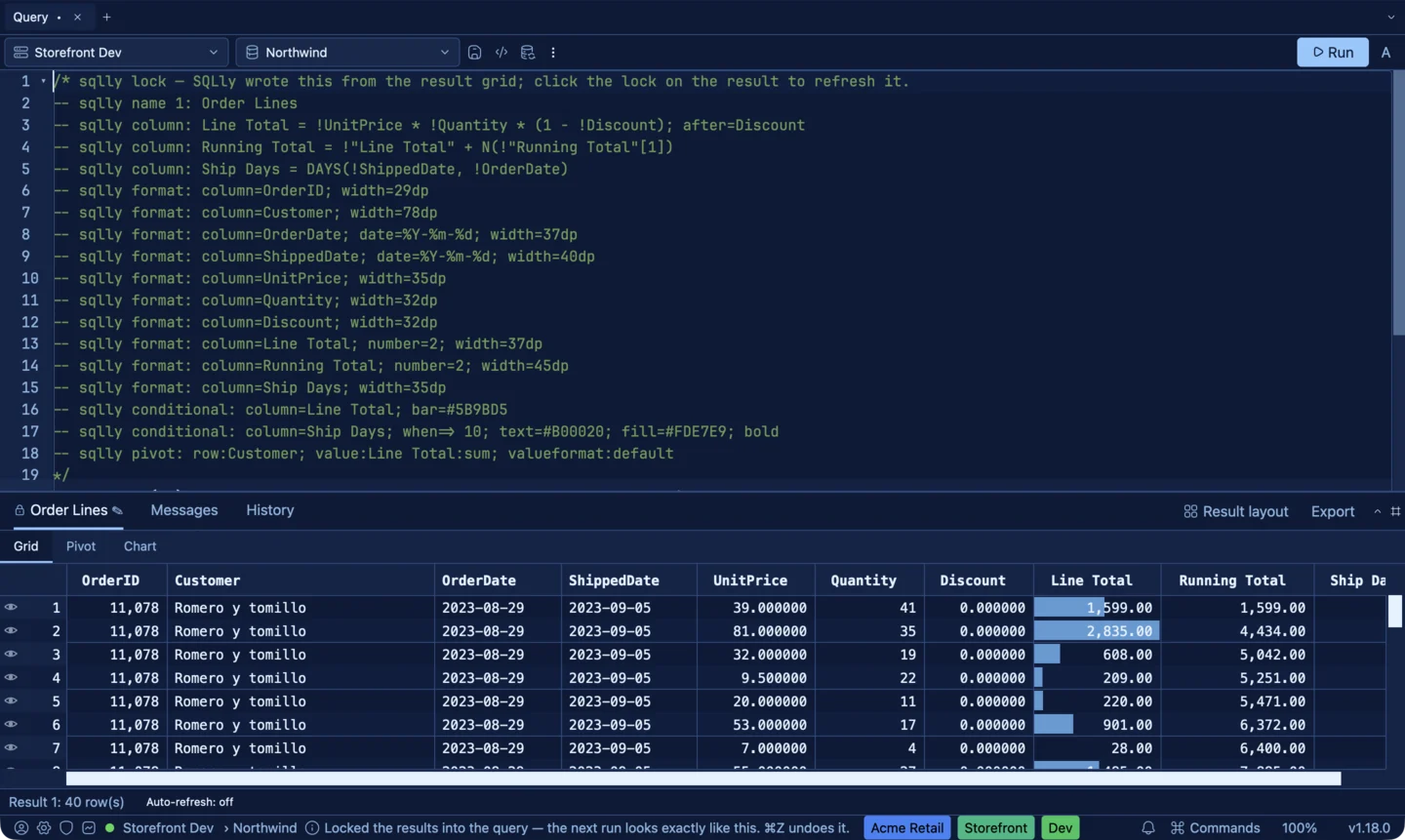
It's an ordinary comment, so the database never sees any of it, and the file runs the same in any other tool. In SQLly, the next run - yours or a teammate's - comes back looking exactly like this. Change something and click the lock again, and SQLly rewrites the block to match the screen. It's a single edit, so ⌘Z undoes it.
A few things are left out on purpose. Revealing a masked column for a second isn't recorded,
because a lock shouldn't unmask data for the next reader. Parameters and
set variables stay where you wrote them. The lock page in the docs
has the full list.
Widths that follow the font
Writing a width into a file you share raises an obvious question: in what unit? Pixels are wrong. Your teammate has a bigger font, or a different zoom, and your 120-pixel column shows them half the characters you saw.
So widths are written in dp, and 1 dp is a quarter of the grid's font size.
At a 10 pt grid font, width=20dp is 50 pixels. At 12 pt, the same
20dp is 60 pixels. The column grows and shrinks with the text, so it keeps
showing about the same characters - around 2.5 dp per character. It's a close approximation
rather than an exact count, because letters in a proportional font aren't all the same width,
but it's the difference between "the column I meant" and "the column I meant at my zoom".
-- sqlly format: column=Notes; width=60dp
-- sqlly format: column=Total; number=2; width=40dp
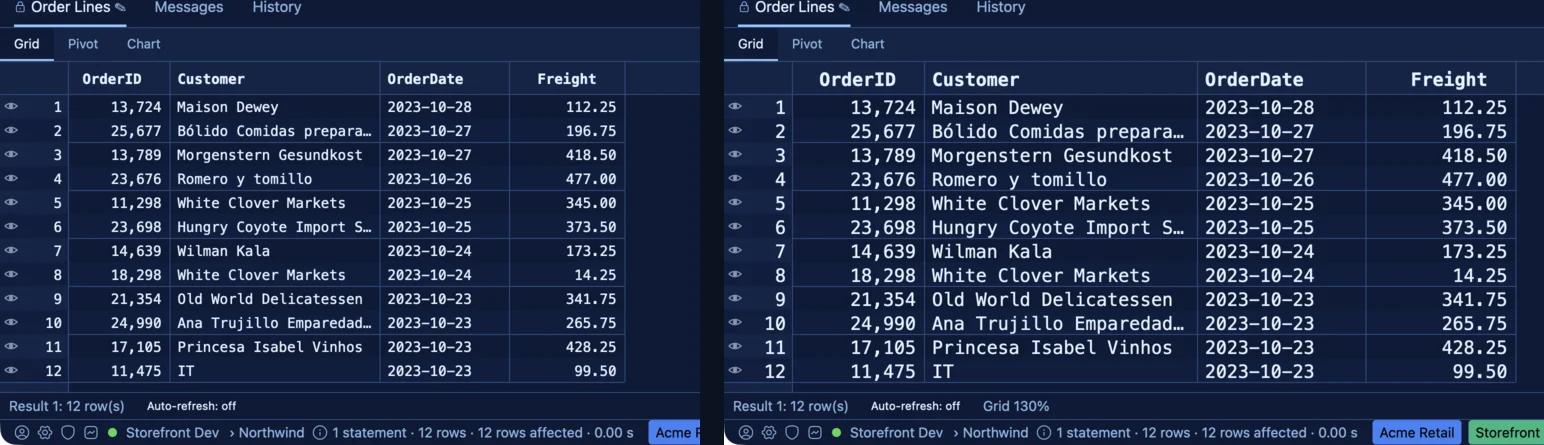
A width in the query wins over a width you dragged and over auto-size. Auto-size leaves those columns alone and still sizes the rest.
Two new directives
The lock writes SQLly directives, the comments SQLly has long used for pivots, charts and formats. Two new families came with it, and you can write them by hand too.
grid: holds the grid's column
arrangement: order, hidden and frozen columns, sort, grouping, per-column filters and
foreign-key labels. grid 2: targets the second result set of a batch.
-- sqlly grid: order=Id, Name, Total; hide=RowVersion; freeze=1
-- sqlly grid: sort=Total desc, Name; filter=Status is Open; label=CustomerId:Name
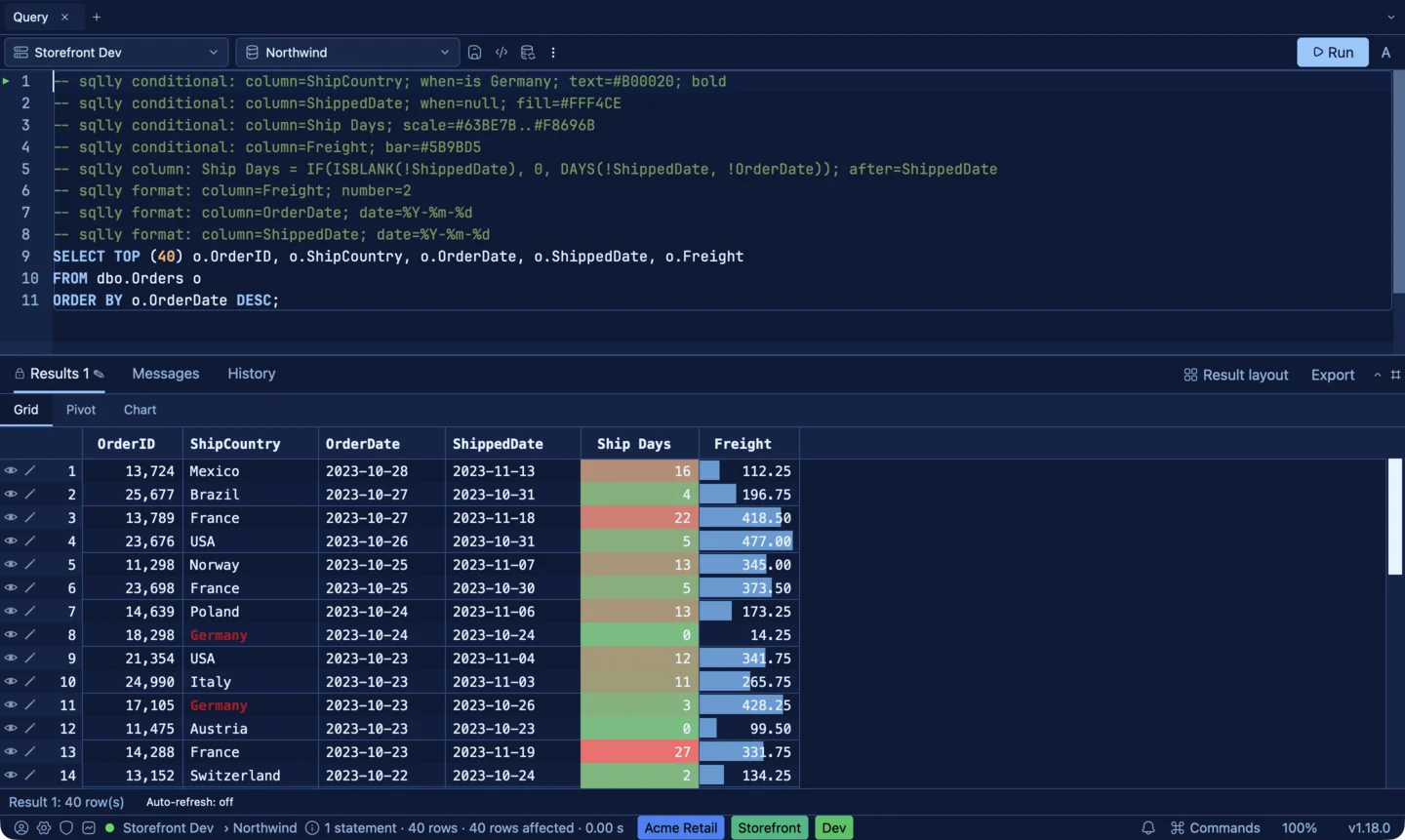
conditional: colors cells by
their values for this one query: a highlight rule, a color scale, or a data bar, one rule per
line.
-- sqlly conditional: column=Status; when=is Failed; text=#B00020; bold
-- sqlly conditional: column=Balance; when=< 0; fill=#FDE7E9
-- sqlly conditional: column=Latency; scale=#63BE7B..#F8696B
-- sqlly conditional: column=Revenue; bar=#5B9BD5
Rules you save in the Conditional Formatting dialog (right-click a column header,
Format › Conditional Formatting…) apply to every grid with a column of
that name, which is what you want for something like status. When you lock a
result, the rules that apply to its columns are written into the query, so the person you
send it to sees your colors whatever they have saved. The
conditional formatting guide
covers the dialog, every option and which rule wins.
Pivots and charts also learned result:N, so a batch can put the pivot on its
second result set: -- sqlly pivot: row:Region; value:Total:sum; result:2.
Why in the query
We could have saved all of this somewhere else: a sidecar file, a project setting, a cloud sync. But the query is the thing people already share. It goes in Git, in a ticket, in a chat message, in the shared folder with the monthly reports. Putting the grid's setup in the query means it goes everywhere the query goes, shows up in a diff when someone changes it, and never drifts out of step with the SQL it describes. And if you'd rather not have it, delete the block.
So, DBE-5847: SQLly auto-sizes your columns, remembers where you dragged them, and now lets you write the exact widths into the query for everyone else. More than eight years is a long time to wait for a column width. Download SQLly and give the lock a click.